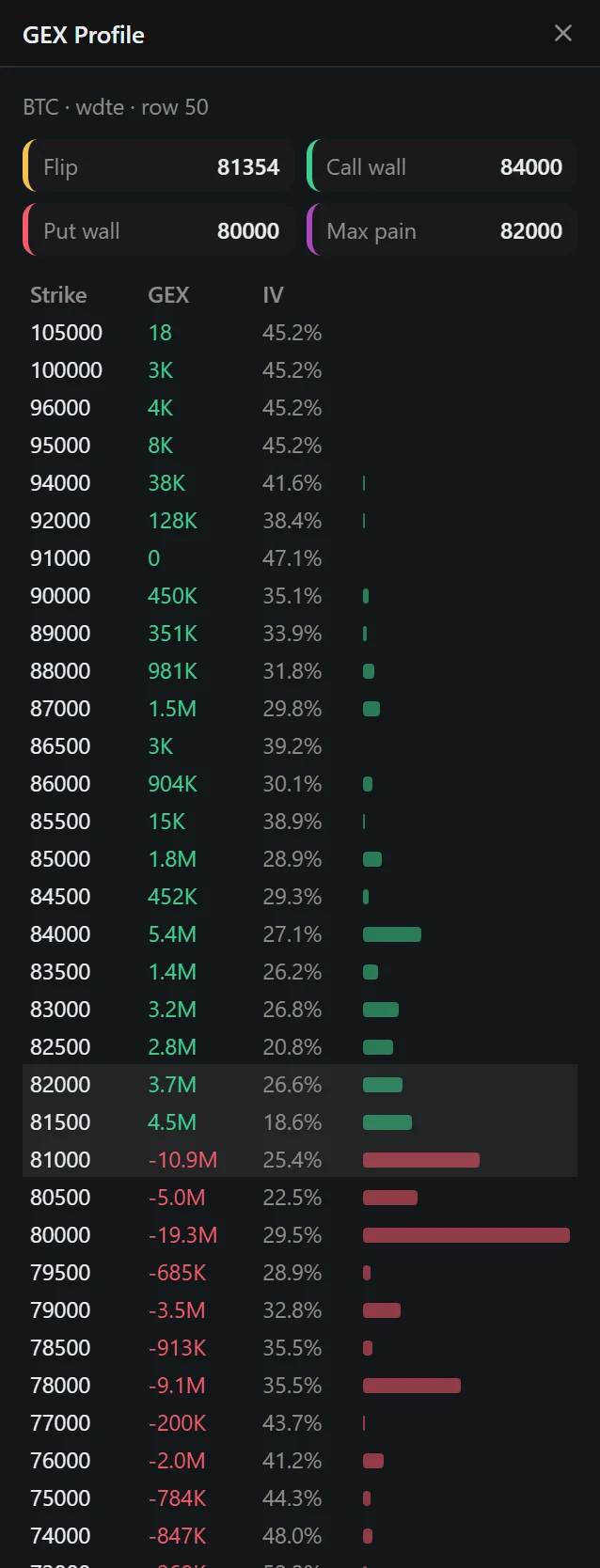
The exact strikes behind the chart, and a replay of how the walls moved.
Chapter 13 · 2 min read · Updated 21 Oct 2026
GEX Profile: the exact numbers behind the chart profile.
GEX Profile — a table of strikes with GEX and IV, plus Flip, Call wall, Put wall and Max pain. Use it when you need exact strikes for orders or alerts. The row nearest price is highlighted; scan the largest positive and negative values above and below it.
Replay — drag the slider (or press play for one snapshot per second) to step through past heatmap snapshots. Use it after a big move: did the wall build up before price arrived? Did the Flip migrate? Replay turns the heatmap into a case study you can learn from.